Guide
From your key to the filed memorial. In nine steps.
Everything a moot team does in LitArbi, in the order you will need it — with the app’s own menu commands.
Install and activate
Your key arrives by email. Download LitArbi for Mac or Windows from the link in it, then click Activate LitArbi in the email — LitArbi opens and activates itself. Or enter the team’s email address and the key yourself. Share both with your team: the key runs on as many computers as you applied for.
Add LitArbi to Word
Quit Word, then install the Word add-in from LitArbi’s settings. When you reopen Word, it has a LitArbi tab.
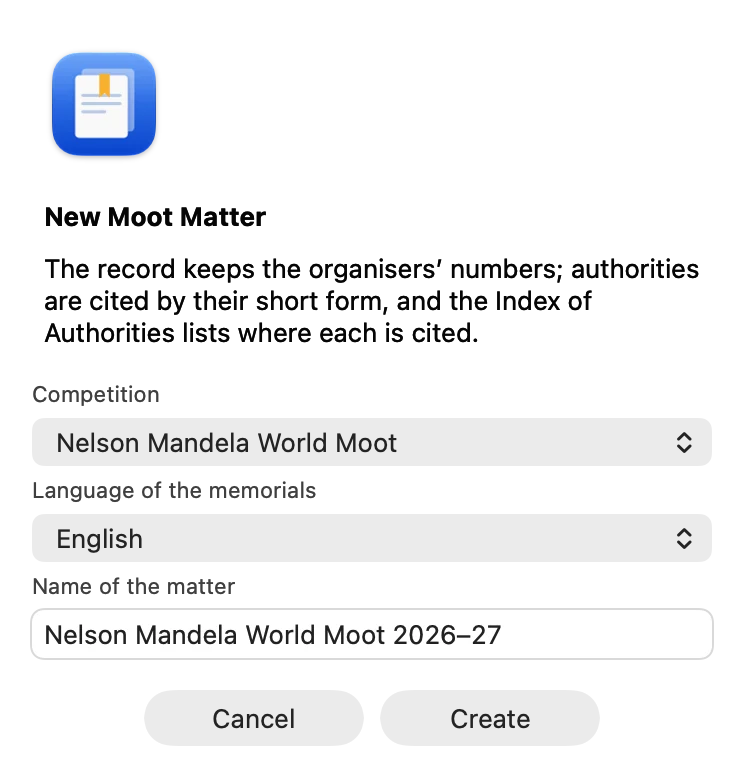
Create your moot matter
LitArbi asks for your competition — and, where its rules allow several, the language of the memorials — and sets up the matter for it: the citation form, the index your rules require, the rule on AI.
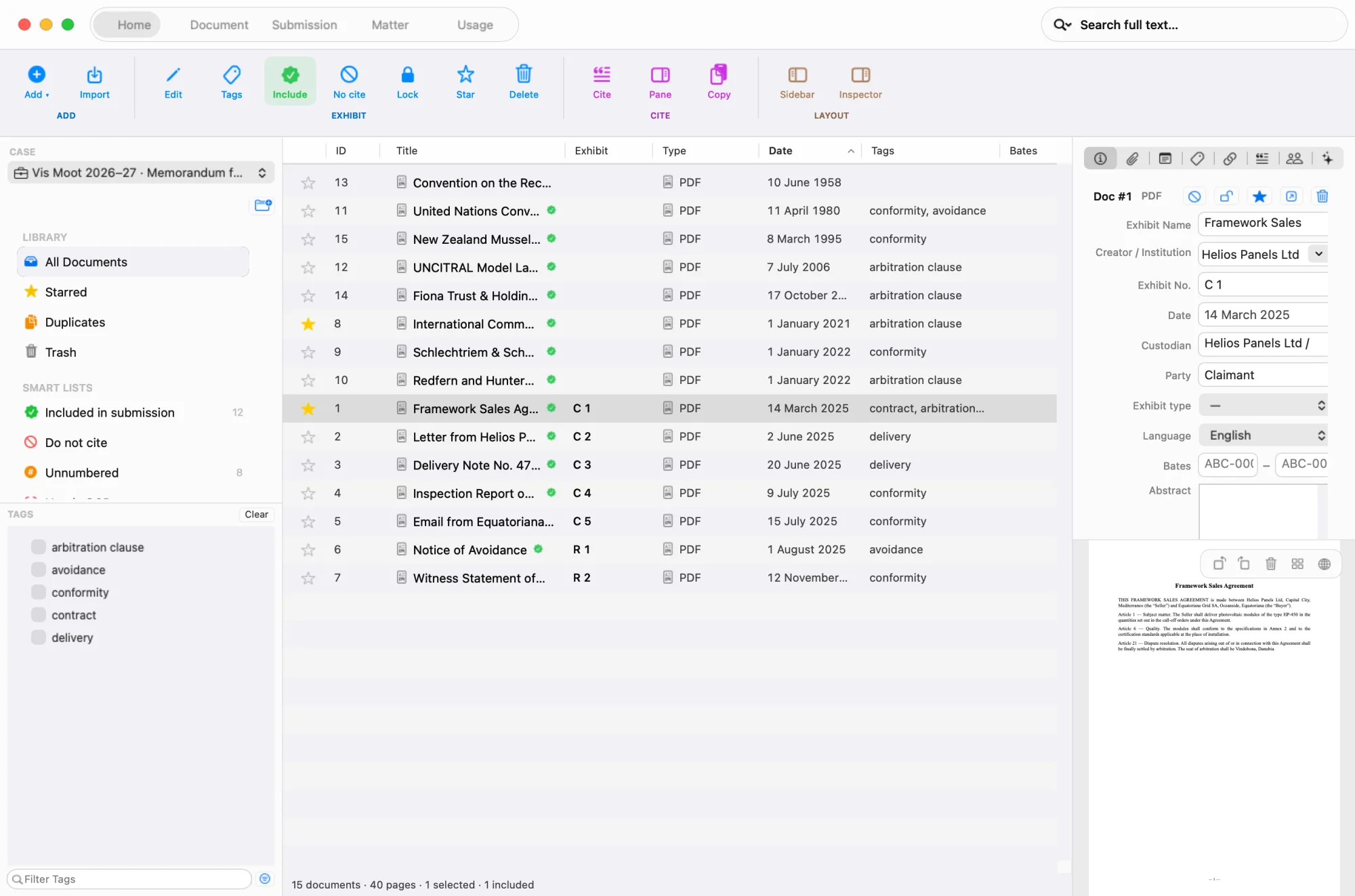
Bring in the record
Import the problem, the procedural orders and the exhibits. Give every exhibit the organisers’ number in the inspector (Exhibit No. — “C 1”, “R 3”): LitArbi keeps it and never renumbers the record. Tags and stars keep the documents you work with at hand; full-text search finds the passage.
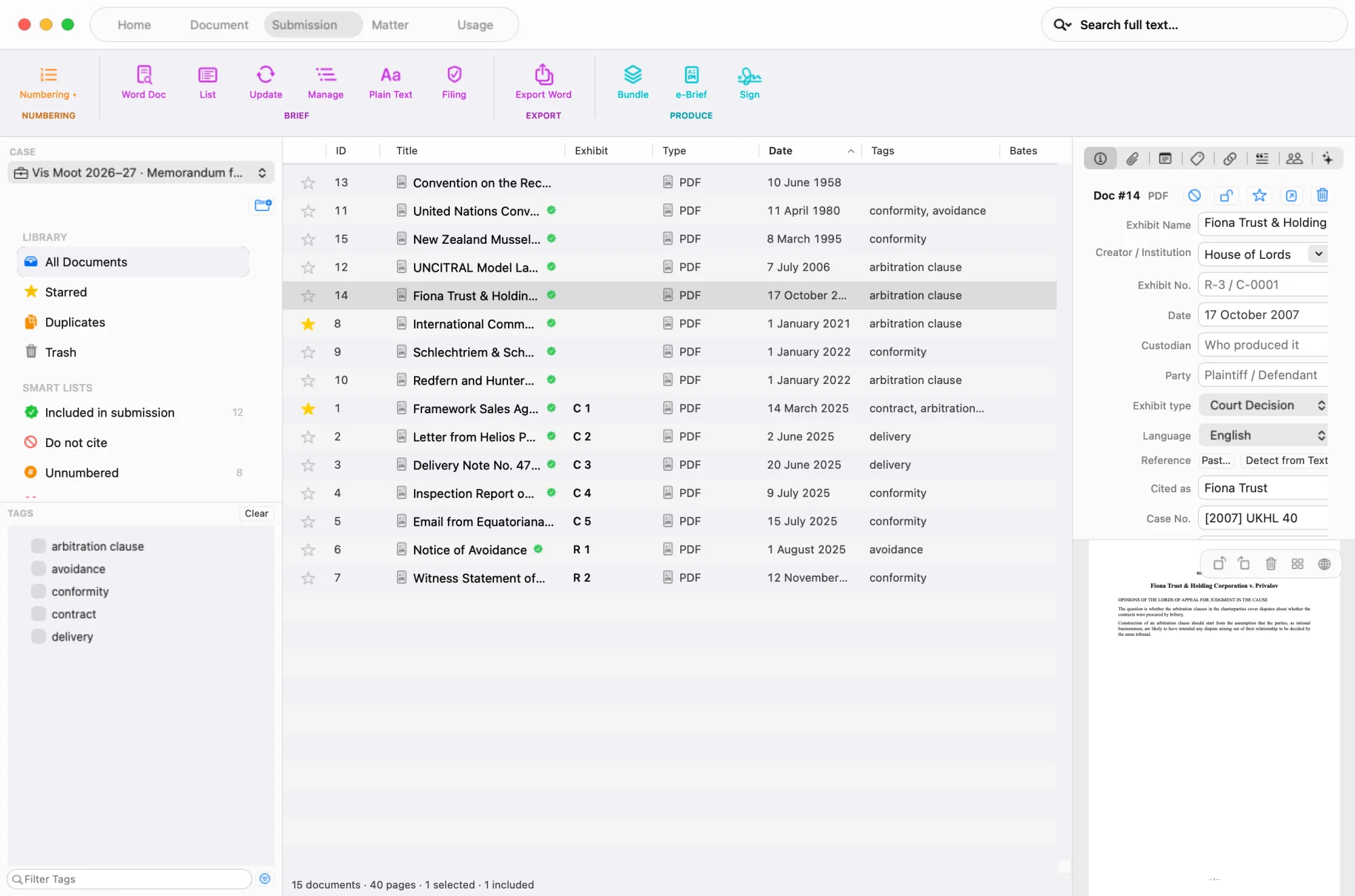
Add your authorities
Import the PDFs of your authorities, or add one from its citation. Choose its type — treaty or legislation, book or commentary, journal article, court decision, award — and give it the short form you cite it by (Cited as).
Cite from Word
Open your memorial in Word. In LitArbi’s citation pane, search the exhibit or authority, type the page or paragraph and insert: LitArbi writes the citation the way your rules want it — in the text for the Vis, as a footnote for the Jessup, in full the first time where that is required.
Build the index
Insert the index once — List of Authorities, Index of Authorities, whatever your rules call it. After every change, update: the citations and the index with the paragraphs or pages that cite each authority are brought up to date.
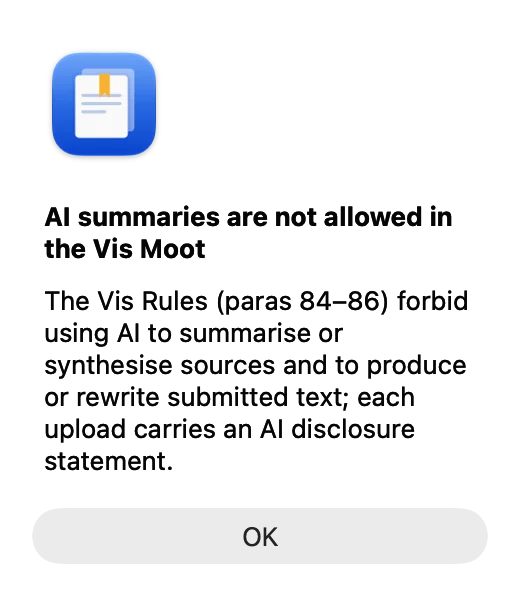
Keep to your AI rules
Where your competition forbids AI summaries of sources, LitArbi refuses them in the moot matter. Before any other AI function it shows your competition’s rule.
Prepare the filing copy
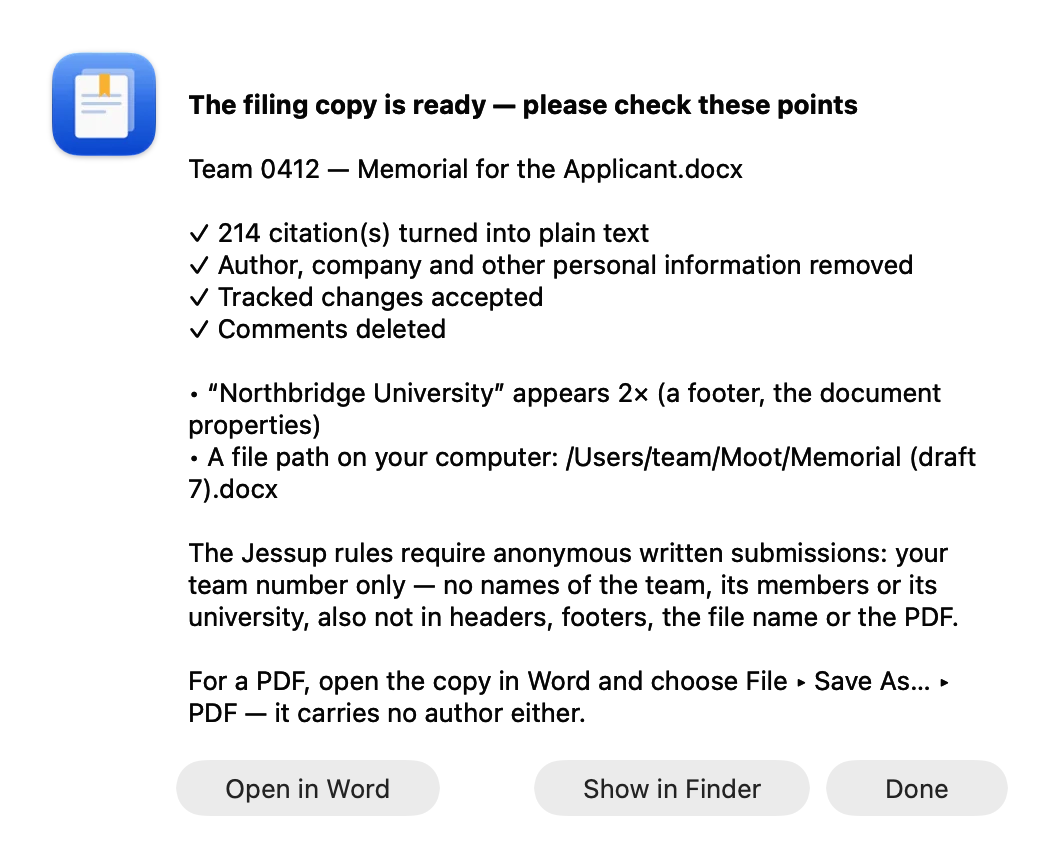
LitArbi saves a copy to submit: the citations as plain text, no author or personal information, comments and tracked changes dealt with — then it lists every place your team, university or name still appears, as your rules on anonymity require. Make the PDF from that copy in Word.
And then
Working as a team
One researcher builds the matter and shares it as one file; everyone cites from the same numbers.
At the end of the season
Pass your authorities on to next year’s team — their files, short forms and tags, in one file they import.
Questions, or something breaks?
Report it from the app, or reply to your key email — we answer.
Free for the season.
Apply once for your team — the key usually arrives within a day.